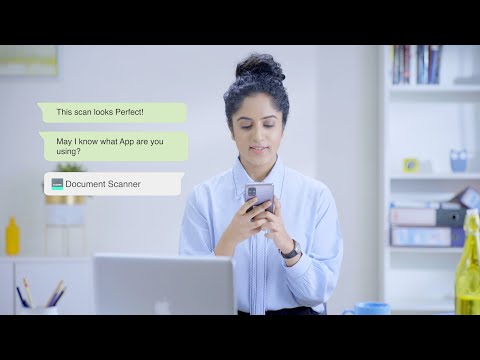

Document Scanner - PDF Creator
Contains adsIn-app purchases

star
2.97M reviewsinfo

PEGI 3
info
50M+
Downloads

PEGI 3
Learn more


About this app
Sometimes in a single day you need your different documents scanned multiple times. In that situation if everything is planned you will definitely not suffer more. But if the need to scan that document arises one by one it will be a disaster for sure.
To rescue you from that situation we brings you a portable Doc Scanner. This Doc(Document) scanner lets you scan your documents anytime anywhere.
There are some additional features as well in the app which makes your document after scanning more professional and good to look at.
Let's take a tour of that attractive features::
* Scan your document.
* Enhance the scan quality automatically/Manually.
* Enhancement includes smart cropping and many more.
* Optimize your PDF into modes like B/W, Lighten, Color and dark.
* Turn scans into clear and and sharp PDF.
* Arrange your doc in folder and sub folders.
* Share PDF/JPEG files.
* Print and fax the scanned doc directly from the app.
* Upload doc’s to the cloud like Google Drive, Dropbox etc.
* Scan QR Code/Bar-code.
* Create QR Code.
* Share scanned QR Code.
* Turns your old documents into a clear and sharp one by removing the noise.
* Can create PDF in different sizes from A1 to A-6 and like Postcard, letter ,Note etc.
Help us to Translate the app
Your help with translation will be really appreciated.
Translation URL: http://cvinfotech.oneskyapp.com/collaboration/project?id=121989
Features at a glance :
- Best Document Scanner - It has all of the features that a scanner should have.
- Portable Document Scanner - By having this document scanner in your phone, you can save your time and efforts by quickly scanning anything on the fly.
- Paper Scanner - The app offers third party cloud storage(Drive,Photos) where you can scan papers and save on cloud storage.
- Best Document Scanner Lite - Scans are saved to your device in image or PDF format.
- PDF Document Scanner - Scans PDF with edge detection feature additionally.
- All type of Doc Scan - Scan in color, Grey, Sky Blue.
- Easy Scanner - Scan and Instant print out documents in any size like A1, A2,A3,A4… etc.
- Portable Scanner - The Doc scanner once installed can turn every smartphone into a portable scanners.
- PDF Creator - Convert scanned images to the best quality PDF file.
- QR Code Scanner - This app also have QR Code Scanner feature.
- Bar-code Scanner - Another great feature Bar-code scanner is also integrated in this app.
- OCR Text Recognition (Upcoming Feature in Next Update) - The OCR Text Recognition let you recognize text from images then edit texts or share text to other apps.
- High Quality Scans - The scan quality is of no match, You just get your documents digitally original.
- Images to PDF Converter - You can select some image from Image Gallery and convert it into a PDF file as document.
- Cam Scanner - Take a picture of the whiteboard or blackboard and produce it exactly same with the help of Doc Scanner at home even if you're offline. No internet required for the app to function.
- Remove grain/noise from old document/picture - Remove Noise from old image Using various advanced filter techniques and make it more clear and sharp than before.
- Flashlight - This scanner app also have Flash light feature that helps you in taking scans in low-light environment.
- A+ Document Scanner - This App is rated A+ by users based upon multiple ratings and reviews.
To rescue you from that situation we brings you a portable Doc Scanner. This Doc(Document) scanner lets you scan your documents anytime anywhere.
There are some additional features as well in the app which makes your document after scanning more professional and good to look at.
Let's take a tour of that attractive features::
* Scan your document.
* Enhance the scan quality automatically/Manually.
* Enhancement includes smart cropping and many more.
* Optimize your PDF into modes like B/W, Lighten, Color and dark.
* Turn scans into clear and and sharp PDF.
* Arrange your doc in folder and sub folders.
* Share PDF/JPEG files.
* Print and fax the scanned doc directly from the app.
* Upload doc’s to the cloud like Google Drive, Dropbox etc.
* Scan QR Code/Bar-code.
* Create QR Code.
* Share scanned QR Code.
* Turns your old documents into a clear and sharp one by removing the noise.
* Can create PDF in different sizes from A1 to A-6 and like Postcard, letter ,Note etc.
Help us to Translate the app
Your help with translation will be really appreciated.
Translation URL: http://cvinfotech.oneskyapp.com/collaboration/project?id=121989
Features at a glance :
- Best Document Scanner - It has all of the features that a scanner should have.
- Portable Document Scanner - By having this document scanner in your phone, you can save your time and efforts by quickly scanning anything on the fly.
- Paper Scanner - The app offers third party cloud storage(Drive,Photos) where you can scan papers and save on cloud storage.
- Best Document Scanner Lite - Scans are saved to your device in image or PDF format.
- PDF Document Scanner - Scans PDF with edge detection feature additionally.
- All type of Doc Scan - Scan in color, Grey, Sky Blue.
- Easy Scanner - Scan and Instant print out documents in any size like A1, A2,A3,A4… etc.
- Portable Scanner - The Doc scanner once installed can turn every smartphone into a portable scanners.
- PDF Creator - Convert scanned images to the best quality PDF file.
- QR Code Scanner - This app also have QR Code Scanner feature.
- Bar-code Scanner - Another great feature Bar-code scanner is also integrated in this app.
- OCR Text Recognition (Upcoming Feature in Next Update) - The OCR Text Recognition let you recognize text from images then edit texts or share text to other apps.
- High Quality Scans - The scan quality is of no match, You just get your documents digitally original.
- Images to PDF Converter - You can select some image from Image Gallery and convert it into a PDF file as document.
- Cam Scanner - Take a picture of the whiteboard or blackboard and produce it exactly same with the help of Doc Scanner at home even if you're offline. No internet required for the app to function.
- Remove grain/noise from old document/picture - Remove Noise from old image Using various advanced filter techniques and make it more clear and sharp than before.
- Flashlight - This scanner app also have Flash light feature that helps you in taking scans in low-light environment.
- A+ Document Scanner - This App is rated A+ by users based upon multiple ratings and reviews.
Document Scanner(DocScanner) and PDF Creator App to scan documents on the fly
Updated on
Safety starts with understanding how developers collect and share your data. Data privacy and security practices may vary based on your use, region, and age. The developer provided this information and may update it over time.


Ratings and reviews
2.95M reviews

A Google user
- Flag inappropriate
- Show review history
August 31, 2019
Very Nice. Was looking for a CamScanner replacement. Out of about 20 apps, this one comes the closest to matching it's features. This has a few pleasant surprises of it's own too. Such as better control of how and where you want to save files. How to stay pleasantly surprised. Needs dark theme. Don't like how it names documents. Would like to name at time of scan, instead of later. Would like continue scans in a document to follow that naming convention followed by a number.
156 people found this review helpful

Arun Pratap Singh
- Flag inappropriate
October 19, 2026
Doc Scanner is a great application for scanning documents, but it has a major storage issue. When the cloud syncing option is enabled, the app size swells rapidly day by day as data accumulates. Even after regularly clearing the cache and clearing data from settings, the app remains unusually bulky and takes up excessive storage space. Please optimize storage management and background cache cleanup!
6 people found this review helpful
LUFICK TECHNOLOGY PRIVATE LIMITED
October 27, 2026
Dear User,
Could you please contact us via support@lufick.com? We'd love to hear more about this issue in order to assist you.

Vishal Yamkar
- Flag inappropriate
October 17, 2026
One of the best features of this application is its easy-to-use interface. Even users who are not very familiar with technology can scan documents without any difficulty. The scanning process is quick and smooth. Users simply need to open the application, point their phone camera at the document, and capture the image. The application automatically detects the document's edges and helps adjust the scanned image for better clarity. Another excellent feature is the quality of the scanned documents
2 people found this review helpful
What’s new
• ✨ New premium document filters
• ✂️ Smarter Split with advanced options
• 📌 Pin documents for quick access
• 🔍 Search Settings faster
• 🕒 Improved date & time settings
• 🖼️ New image watermark tool
• 📂 Set a default folder for new scans
• ⚡ Apply crop to all pages added.
• ⚡ Improved crop performance and fixed related issues.
• ⚡ Bug fixes and performance improvements
• ✂️ Smarter Split with advanced options
• 📌 Pin documents for quick access
• 🔍 Search Settings faster
• 🕒 Improved date & time settings
• 🖼️ New image watermark tool
• 📂 Set a default folder for new scans
• ⚡ Apply crop to all pages added.
• ⚡ Improved crop performance and fixed related issues.
• ⚡ Bug fixes and performance improvements
PEGI 3
Learn moreApp support
phone
Phone number
+919220762706
About the developer
LUFICK TECHNOLOGY PRIVATE LIMITED
support@lufick.com
90B DELHI- JAIPUR EXPY SECTOR-18
Gurugram, Haryana 122001
India
+91 92207 62706


